
How the desk works
You can sign in with the Google account a manager invited. If that invite is missing, Boopi does not open a session. You can move through the property from the menu on the left. You can search with Find, or with Ctrl+K. You can start a stay, a check-in, or a check-out from New.
Start on Today
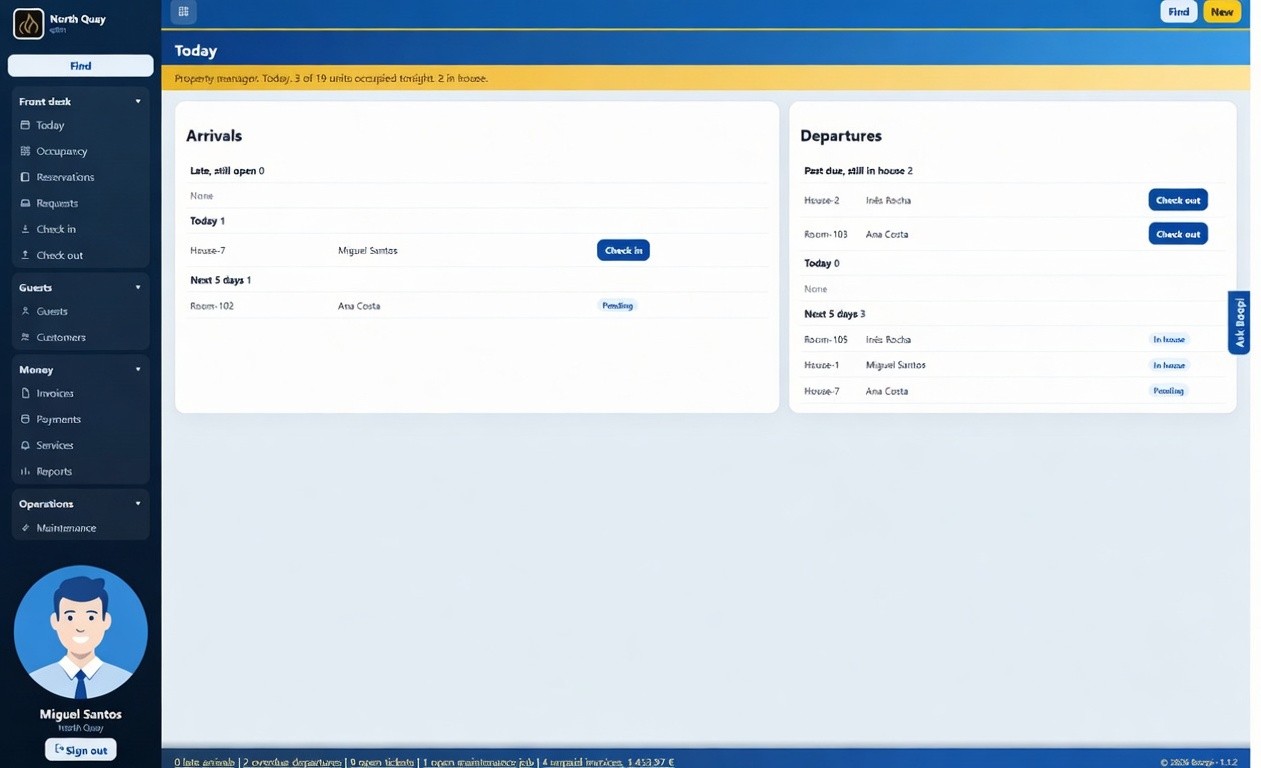
Boopi puts the day's work on Today. You can see how many units are occupied tonight, and how many guests are already in house.
You can check in a late arrival, an arrival for today, or someone due in the next five days. Boopi shows Check in on the row only while the stay is still pending.
You can check out someone who should already have left, or someone leaving today. Boopi does not offer check-out on the next five days until that guest is due.
You can open the leftover work from the blue strip: late arrivals, overdue departures, open tickets, open maintenance, unpaid invoices. Each count opens that list.
See which nights are free
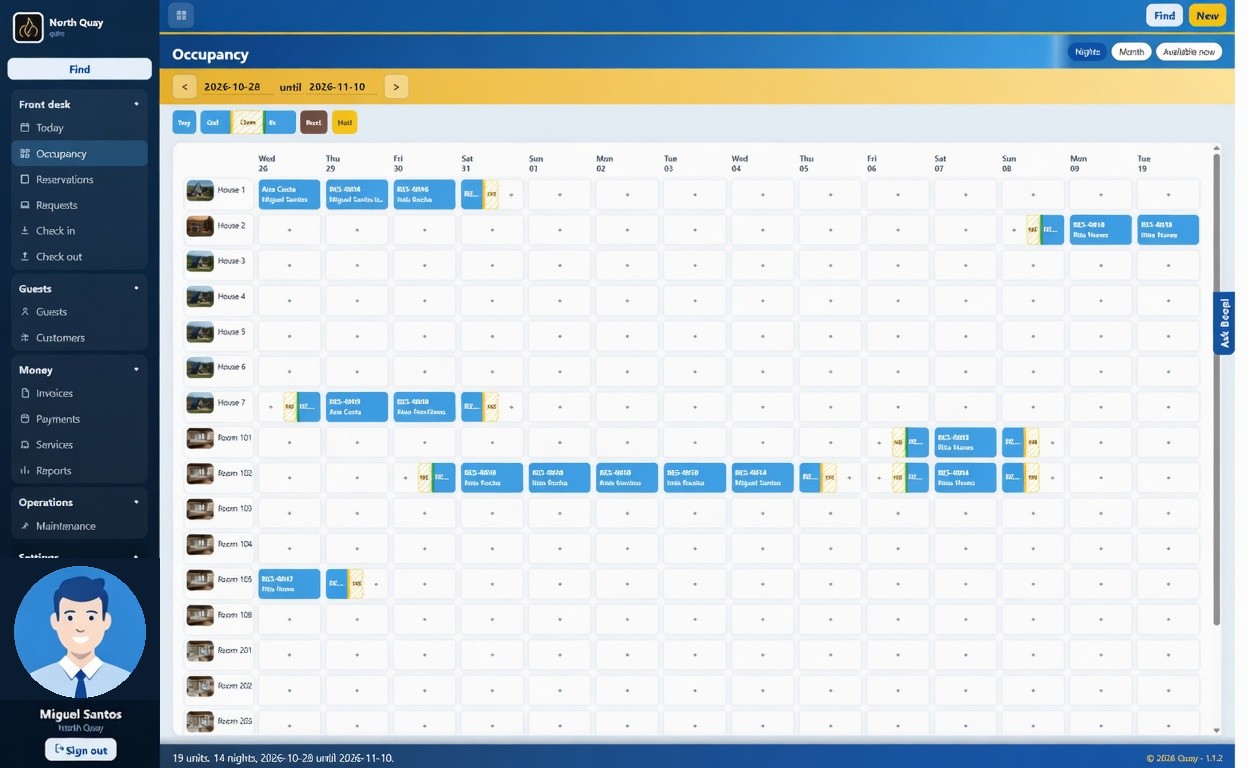
Boopi shows occupancy as one row per unit and one column per night. You can read a stay from the bar. Out and In mark a changeover: one guest leaves in the morning, and another can arrive the same day. A free night is a +. You can start a stay from it, on that unit and those dates. Boopi hides the plus while the calendar is still loading, so you cannot book a night that only looks free.
Boopi refuses a second stay, block, or hold on the same night. Friday to Sunday is two nights. You do not charge the Sunday morning.
You can move the dates from the yellow bar. You can switch between Nights, Month, and Available now. On a phone, Boopi shows one day at a time.
Book a stay
You can book from New, then New stay.
- You can choose a guest already on file, or type a new one. If the email or phone already belongs to someone, Boopi names that person and does not open a second record. The stay waits until you pick them, or use different details.
- You can set arrival, departure, and adults. Departure has to be after arrival. Boopi shows the price before you save.
- You can pick where the booking came from: walk-in, phone, the website, or another channel you added.
- You can pick a free unit. Boopi marks units taken for those nights as unavailable.
- Create stay. Boopi saves the stay and opens a draft invoice with the lodging already on it. You do not create that bill yourself.
Boopi lists open stays first. You can switch between pending, in house, ended, no-show, and cancelled. Boopi marks a pending stay late when the guest should already have arrived. Boopi does not offer check-out while the arrival is still in the future.
Answer a request
You can take a request from the property website. Boopi does not treat it as a booking.
You can accept it. Boopi turns it into a pending stay and opens the draft invoice, if the unit is still free. If it is not, Boopi refuses the accept and does not double-book the nights. You can decline it. Boopi closes the request with no stay.
While you decide, our platform can hold the unit. You can see that hold on the calendar. When you accept or decline, Boopi lets the nights go.
Check someone in, then out
You can check guests in and out from Today, from their own pages, from the reservation, and from New.
You can check in a pending stay. Boopi moves it to in house. Boopi does not check in a stay that is already in house, or one that was cancelled. If a door code exists, the guest can use it from this moment.
You can check out. Boopi ends the stay and opens the invoice. Boopi compares the day you are checking out with the departure on the booking.
- Same day. Boopi ends the stay, adds anything not yet on an invoice, and takes you to the bill.
- Earlier than booked. Boopi asks first. The guest is leaving before the last night. Boopi keeps the booked nights on the invoice.
- Later than booked. Boopi tells you how many extra nights and asks first. Boopi adds those nights to the open invoice at the rate already on the stay. If no invoice is open, Boopi creates one for the extra nights. The unit has to be free. If another booking is already there, Boopi stops the checkout and the guest stays in house.
Take the money
Boopi opens the bill when you save the stay, when you accept a request, when a service has nowhere to go, and when you check out. You can start from draft and issued bills, newest first.
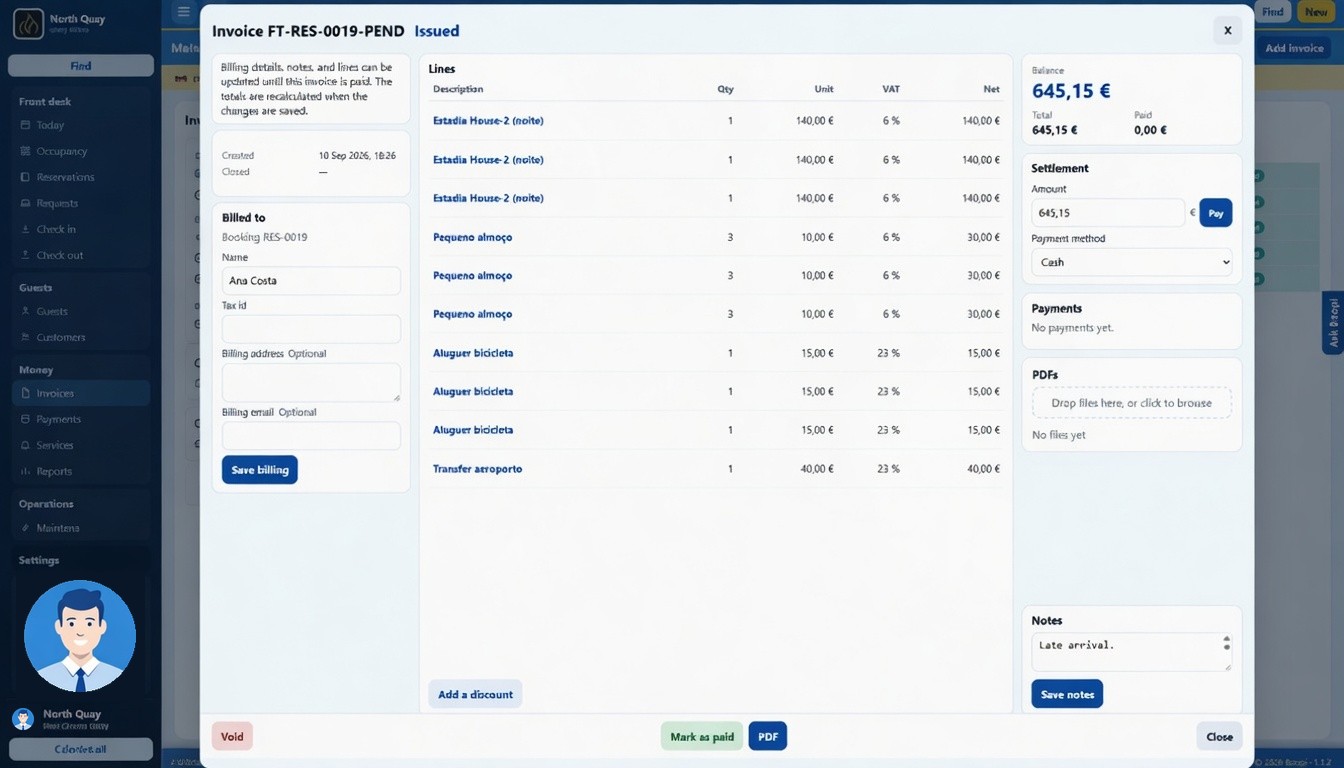
You can still change a draft, including when the dates change. You can correct an issued bill until it is paid. Paid means the balance is zero, and Boopi locks the bill. You can void it. Boopi turns money already taken into credit on the customer.
You can set who is billed, change the lines, and record the payment from Settlement: amount, method, Pay. Cash, card, transfer, MB WAY, and Multibanco are the usual ones. A part payment leaves the invoice open.
You can draw a PDF for the guest and the desk. Boopi does not treat that file as a tax-authority document. The same file has a guest link. You can copy that link and send it.
The door code
Boopi makes a door code when you save the stay. You do not type one. You can see the unit and whether the code is active. Boopi does not show the digits on the list. You can open the row to read the code.
Boopi starts the code on the arrival day at the property check-in time, or at the moment you check the guest in if that is earlier. Boopi stops it on the departure day at check-out time. A later departure keeps it until the new morning. Cancel, no-show, or the end of the stay turns it off. A code marked sandbox does not open a real door.
Cleaning, and work that closes a unit
You can create today's cleaning. Boopi writes a quick clean for a unit with a guest in it, and a deep clean for a departure. Boopi does not write the job again if it is already there for today. Boopi names the unit and does not take it off sale. The guest stays, and you can still book the next guest. Our platform can write the same list in the property midnight hour, once that run is switched on.
You can add a repair that must keep the unit empty. Boopi asks for the building first, then the units in that building. You can leave both empty. Boopi blocks the nights when the job names a unit. Boopi does not block them when the job has no unit. You can mark it solved, and Boopi frees the unit.